Skip to content
Menu
Rates & Services
Connect or Stop Service
Ways to Pay
SmartHub
Member Assistance Program
Residential Rates
Time-of-Use Rate
Understanding Your Bill
Medical Necessity Program
Solar and Distributed Generation (DG)
Renewable Options
Unclaimed Funds
Ways to Save
Energy-Saving Tips
Power Rush Hour
Safety
Outage Preparation
Weather Preparation
Protecting Your Goods During an Outage
Vegetation Maintenance
Planting Guidelines
Standards
Identification and Scams
Safety at Home
Downed Power Lines
Generator Safety
Crew Safety
Community
Power of Change
Youth Programs
EmpowerU Youth Program
Camp Save-a-Watt Youth Program
Scholarship Program
Youth Tour
Education Contributions
Monarch Butterfly Education
Safety for Kids
Community Grants
PEC Gives
About
News
The Cooperative Difference
Board of Directors
Board Meetings
Become a Board Director
Elections & Voting
Voting Methods & Instructions
Executive Team
Powering the Future
Careers
Commercial Service
Connect Commercial Service
Commercial Rates and Pricing
Disconnect Commercial Service
Critical Load Program
MY ACCOUNT
OUTAGES
CONTACT US
Search
Search
MY ACCOUNT
Outages
Contact us
Rates & Services
Connect or Stop Service
Ways to Pay
SmartHub
Member Assistance Program
Residential Rates
Time-of-Use Rate
Understanding Your Bill
Medical Necessity Program
Solar and Distributed Generation (DG)
Renewable Options
Unclaimed Funds
Ways to Save
Energy-Saving Tips
Power Rush Hour
Safety
Outage Preparation
Weather Preparation
Protecting Your Goods During an Outage
Vegetation Maintenance
Planting Guidelines
Standards
Identification and Scams
Safety at Home
Downed Power Lines
Generator Safety
Crew Safety
Community
Power of Change
Youth Programs
EmpowerU Youth Program
Camp Save-a-Watt Youth Program
Scholarship Program
Youth Tour
Education Contributions
Monarch Butterfly Education
Safety for Kids
Community Grants
PEC Gives
About
News
The Cooperative Difference
Board of Directors
Board Meetings
Become a Board Director
Elections & Voting
Voting Methods & Instructions
Executive Team
Powering the Future
Careers
Commercial Service
Connect Commercial Service
Commercial Rates and Pricing
Disconnect Commercial Service
Critical Load Program
Menu
Rates & Services
Connect or Stop Service
Ways to Pay
SmartHub
Member Assistance Program
Residential Rates
Time-of-Use Rate
Understanding Your Bill
Medical Necessity Program
Solar and Distributed Generation (DG)
Renewable Options
Unclaimed Funds
Ways to Save
Energy-Saving Tips
Power Rush Hour
Safety
Outage Preparation
Weather Preparation
Protecting Your Goods During an Outage
Vegetation Maintenance
Planting Guidelines
Standards
Identification and Scams
Safety at Home
Downed Power Lines
Generator Safety
Crew Safety
Community
Power of Change
Youth Programs
EmpowerU Youth Program
Camp Save-a-Watt Youth Program
Scholarship Program
Youth Tour
Education Contributions
Monarch Butterfly Education
Safety for Kids
Community Grants
PEC Gives
About
News
The Cooperative Difference
Board of Directors
Board Meetings
Become a Board Director
Elections & Voting
Voting Methods & Instructions
Executive Team
Powering the Future
Careers
Commercial Service
Connect Commercial Service
Commercial Rates and Pricing
Disconnect Commercial Service
Critical Load Program
Pay Your Bill
Report an Outage
Start or Stop Service
Outage reporting
Let our new outage
map be your guide
It’s easier than ever to report and track outages
learn more
News from your cooperative
Check out auto pay
Visit PEC’s booth at Founders Day in Dripping Springs
PEC’s Pre-Apprenticeship Program produces results in Kyle district
PEC Board of Director candidates named
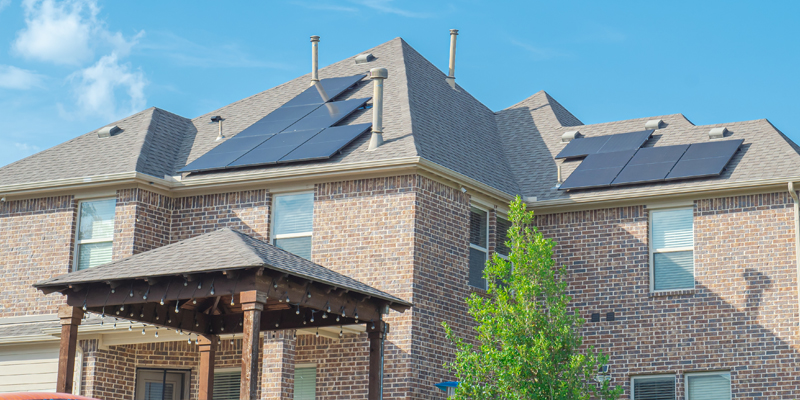
Moving to a home with existing solar or other distributed generation?
May days, not maydays
VIEW MORE
×
Search
Search